Windows10怎么关闭飞行模式-Windows10关闭飞行模式的方法
2023-03-06 11:09:41
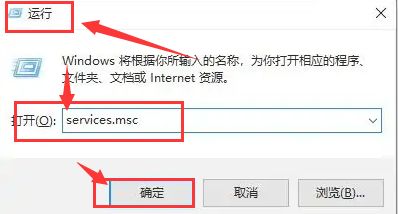
1.首先,按下键盘的win+r键打开运行窗口,输入services.msc指令
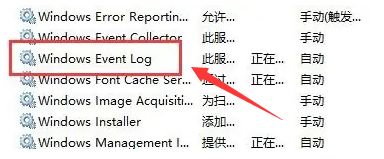
2.随后,找到并打开其中的windows event log服务
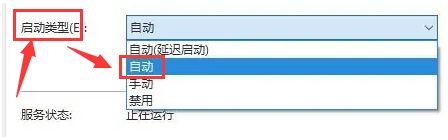
3.接着,将服务的启动类型改为自动
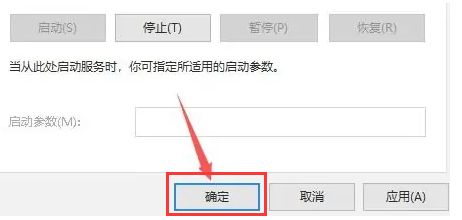
4.最后,滚动鼠标将页面拉至最下方,点击确定按钮重启电脑即可关闭飞行模式
《Windows10怎么关闭飞行模式-Windows10关闭飞行模式的方法》阅读地址:http://www.qinpinchang.com/soft-101916.html
已有100+条评论,点击查看发表评论